


Changing your WOTC processing company is not just a vendor decision. It is an operational decision that affects hiring, onboarding, payroll, tax reporting, compliance records, and year-end credit delivery.
Many employers begin looking for a new WOTC processor after dealing with slow updates, unclear fees, missed deadlines, low visibility, weak reporting, poor communication, or a process that still depends too much on spreadsheets and manual follow-up.
That frustration is valid.
The Work Opportunity Tax Credit process is timing-sensitive. It involves new-hire screening, Form 8850 workflows, ETA Form 9061 documentation, State Workforce Agency submission, certification tracking, wage data, and reporting for tax advisors.
If your current WOTC vendor cannot manage those moving parts cleanly, your company risks missed credit opportunities and messy records.
WOTC Plus provides fully managed, end-to-end WOTC processing for employers, including automated WOTC screening, SMS-based new-hire questionnaire invitations, Form 8850 automation, ETA Form 9061 documentation handling, automated batch filing, State Workforce Agency submission tracking, certification tracking, real-time compliance dashboards, organized reporting, and year-end credit delivery.
Current 2026 note: WOTC rules, federal authorization, IRS forms, Department of Labor guidance, and State Workforce Agency procedures change when Congress acts. Employers should verify current federal and state guidance before filing or claiming any WOTC-related credit.
Quick Summary
When changing your WOTC processing company, evaluate automation, submission handling, fee structure, reporting visibility, dashboard access, certification tracking, documentation quality, onboarding timeline, state agency experience, and year-end credit delivery. A strong WOTC processor should run the workflow for the employer, not leave HR, payroll, or tax teams chasing forms and deadlines. The best provider gives employers a clear process from new-hire screening through final credit reporting.
Why Employers Switch WOTC Processing Companies
Employers usually switch WOTC vendors when the current provider creates more work than it removes.
A WOTC processor should not feel like another manual task for HR.
- leave payroll guessing.
- It should not make finance teams wait until year-end to see what happened.
- It should not require employers to chase missing forms, ask for status updates repeatedly, or dig through email threads to find certification records.
Common reasons employers switch include:
- Low screening participation
- Poor visibility into pending applications
- Slow State Workforce Agency follow-up
- Confusing invoices or unclear fees
- Manual uploads and spreadsheets
- Weak Form 8850 workflows
- Missing ETA Form 9061 documentation
- No real-time compliance dashboard
- Limited payroll coordination
- Poor year-end reporting
- No clear migration plan
- Unclear ownership of denials, appeals, and final determinations
When these problems continue, the employer is not just changing a vendor. The employer is replacing a broken WOTC workflow.
The Buyer’s Checklist for a Better WOTC Processing Company
Before switching providers, use a structured checklist.
A new WOTC processor should be evaluated across the full lifecycle of the credit, not only the sales pitch.
1. Screening Capture and Participation
The first question is simple:
Does the processor capture enough new-hire screening activity?
A WOTC vendor cannot create credit value from employees who were never screened. Therefore, screening participation is one of the first indicators of vendor quality.
Look for a processor that offers:
- SMS-based screening invitations
- Mobile-friendly WOTC questionnaires
- Short and simple new-hire screening flow
- Screening inside hiring or onboarding
- Tracking for incomplete questionnaires
- Reporting on screening participation
- Visibility by location, department, or hiring source
A vendor that relies only on paper forms or manual email reminders often creates missed opportunities.
WOTC Plus operates automated WOTC screening inside the onboarding workflow so new-hire information is captured earlier and tracked more clearly.
2. Form 8850 Automation
Form 8850 has traditionally been one of the most important WOTC documents.
The problem is that manual Form 8850 workflows create errors.
Dates get entered incorrectly.
Signatures get missed.
Forms get routed late.
Fields stay incomplete.
A better WOTC processor should provide Form 8850 automation that keeps documentation cleaner from the beginning.
Ask these questions:
- Does the system collect the required data early?
- Does it reduce manual entry?
- Does it track signatures and dates?
- Does it keep records organized by employee?
- Does it connect Form 8850 with ETA Form 9061 documentation?
- Does it prepare records for State Workforce Agency submission?
WOTC Plus provides Form 8850 automation as part of a fully managed workflow, not as a disconnected form tool.
3. ETA Form 9061 Documentation Handling
A strong WOTC processor should not stop at screening.
The certification file also needs supporting documentation, including ETA Form 9061 or ETA Form 9062 where applicable.
If your current provider does not organize supporting details properly, your team could face delays, rework, and weak documentation.
A better provider should handle:
- ETA Form 9061 documentation
- Employee-level data organization
- Supporting details by targeted group
- Documentation status tracking
- State Workforce Agency requirements
- Follow-up items and missing information
WOTC Plus handles ETA Form 9061 documentation in a centralized workflow, so the certification file stays connected to screening, submission, and reporting.
4. State Workforce Agency Submission Handling
WOTC submissions do not move through one national portal.
State Workforce Agency procedures vary. That creates complexity for employers with workers in multiple states.
A WOTC processor should know how to route and track applications across state systems.
Ask your next provider:
- Who handles State Workforce Agency submission?
- Which states are covered?
- How are multi-state hires routed?
- How are pending applications tracked?
- How are state follow-up requests handled?
- How are denials, appeals, and final determinations reported?
- How often does the employer see submission status?
WOTC Plus handles automated batch filing and State Workforce Agency submission tracking, giving employers a cleaner view of where each application stands.
5. Certification Tracking and Status Visibility
One of the biggest complaints about weak WOTC vendors is lack of visibility.
Employers submit information, then wait.
HR does not know what happened.
Payroll does not know which employees are certified.
Finance does not know the potential credit value.
Tax advisors do not receive clean year-end records.
A better WOTC processing company should track each application through the full lifecycle:
- Screened
- Incomplete
- Ready for submission
- Submitted
- Pending agency processing
- Certified
- Denied
- Appealed
- Final determination
- Ready for year-end reporting
WOTC Plus tracks applications from screening through final determination and gives employers organized reporting around each stage.
6. Real-Time Compliance Dashboards
A modern WOTC processor should give employers dashboard visibility.
Without dashboards, the employer is forced to ask for updates manually.
That creates delays and confusion.
A real-time WOTC compliance dashboard should show:
- Screening activity
- Completion rates
- Pending applications
- Submitted applications
- Certifications
- Denials
- Appeals
- Location-level activity
- Estimated credit values
- Missing documentation
- Year-end reporting status
The dashboard should make the WOTC workflow easier to monitor without forcing the employer to chase the vendor.
WOTC Plus provides real-time compliance dashboards so employers can see WOTC activity, documentation status, certification movement, and reporting progress in one organized view.
Fee Structure: What Employers Should Compare
WOTC pricing should be clear.
A confusing fee structure creates friction and mistrust.
Before changing your WOTC processing company, look carefully at the fee model.
Common questions include:
- Are there upfront fees?
- Are there monthly platform fees?
- Are fees based on credits received?
- Are fees tied to certifications?
- Are there implementation charges?
- Are there cancellation charges?
- Are there hidden reporting fees?
- Are there charges for state agency follow-up?
- Are there separate fees for year-end reporting?
A no-upfront-fee model can be attractive because it reduces the barrier to switching. It also aligns the provider’s work with the employer’s credit activity.
WOTC Plus offers a no-upfront-fee model, making the switch easier for employers that want a cleaner WOTC workflow without adding another immediate implementation cost.
Approval Rates: What to Ask Without Falling for a Sales Trap
Approval rates are important, but employers should be careful.
A vendor that promises guaranteed approvals is using the wrong language.
No WOTC processor controls whether every employee qualifies. Final certification depends on eligibility, documentation, timing, State Workforce Agency review, and applicable rules.
Instead of asking only, “What is your approval rate?” ask better questions:
- How do you improve screening completion?
- How do you reduce incomplete applications?
- How do you track denials?
- How do you handle appeals?
- How do you report certification outcomes?
- How do you separate locations with low participation?
- How do you show missed-screening patterns?
- How do you document final determinations?
A strong processor should discuss capture rate, certification tracking, documentation quality, state follow-up, and reporting visibility.
WOTC Plus focuses on a cleaner workflow: earlier screening, organized documentation, automated filing, certification tracking, and reporting that gives employers better visibility into outcomes.
Audit-Ready Documentation: What “Protection” Should Really Mean
Some vendors use the phrase “audit protection” too loosely.
A responsible WOTC processor should not promise to eliminate audit risk. No vendor can erase every compliance risk.
Instead, employers should look for audit-ready documentation.
That means the provider maintains organized records that support the WOTC process.
A strong documentation process should include:
- Screening records
- Form 8850 records
- ETA Form 9061 documentation
- State Workforce Agency submission details
- Certification records
- Denial records
- Appeal records
- Final determinations
- Qualified wage data
- Employee-level credit detail
- Year-end credit reports
This kind of recordkeeping gives tax advisors and internal teams a stronger file.
WOTC Plus maintains organized WOTC documentation and reporting so employers have a clearer record of screening, submission, certification, wage data, and year-end credit delivery.
Onboarding Timeline: How Fast Can You Switch?
Changing WOTC processors should not take months of confusion.
A good WOTC vendor should provide a clear transition plan.
Before signing, ask:
- How long does implementation take?
- Who manages the migration?
- What data is needed from the current vendor?
- How are pending applications transferred?
- What happens to open certifications?
- How are payroll files connected?
- How are hiring locations set up?
- How is HR trained?
- How does the new screening workflow go live?
- What does week one look like?
- What does the first 30 days look like?
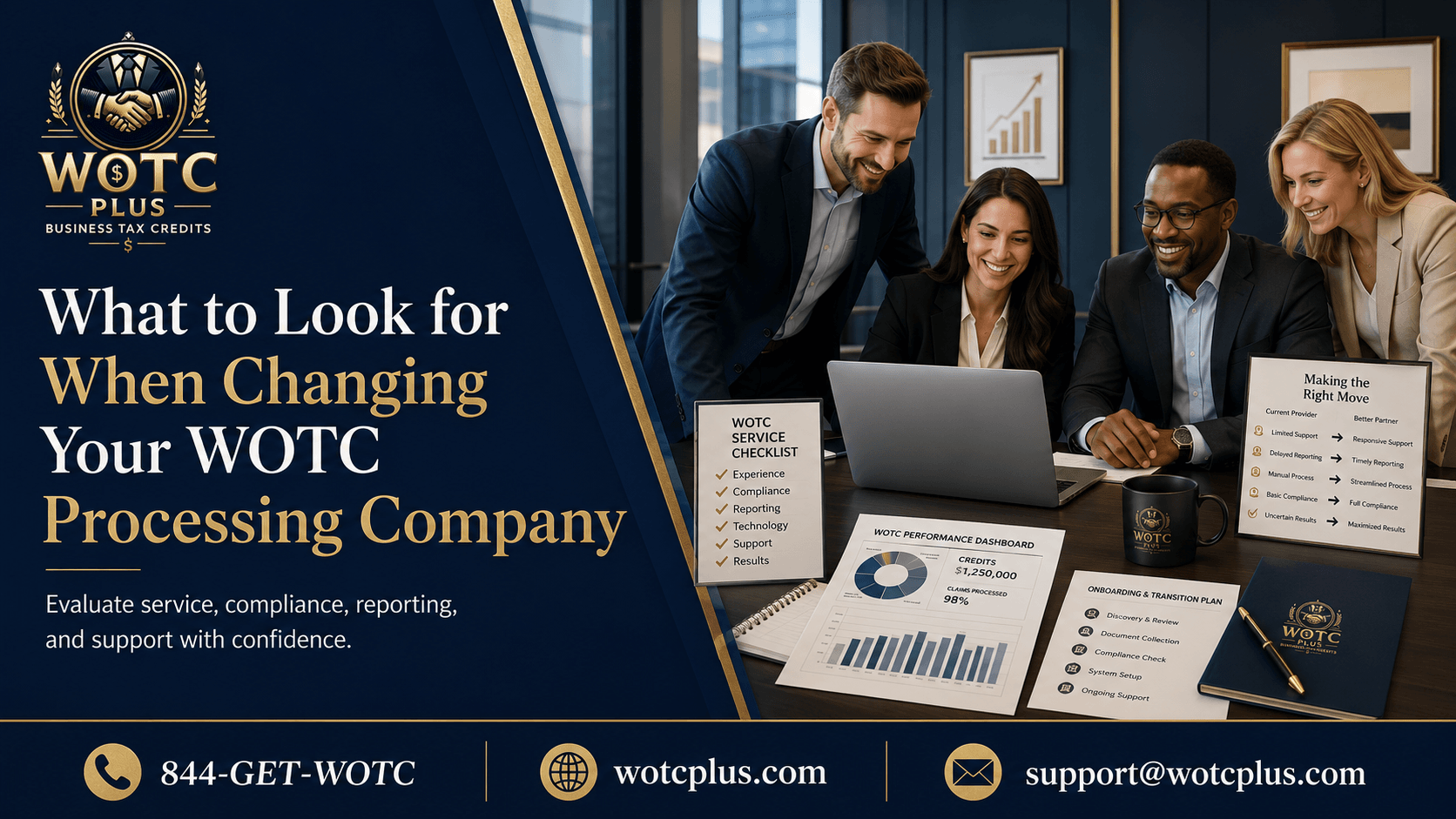
A clean switch should include:
- Discovery and current workflow mapping
- Data and location setup
- Onboarding workflow setup
- Screening invitation configuration
- Payroll or hiring workflow coordination
- Dashboard access
- Pending application review
- Reporting setup
- Go-live
- First-month performance check
WOTC Plus runs the switch through a structured onboarding process so employers know what happens before, during, and after go-live.
Red Flags When Evaluating a WOTC Processor
A vendor switch is a chance to avoid repeating the same mistake.
Watch for these red flags:
Red Flag 1: Vague Pricing
If the vendor cannot clearly explain fees, invoices, and reporting charges, expect problems later.
Red Flag 2: No Dashboard
If the vendor cannot show real-time workflow visibility, your team will keep asking for updates manually.
Red Flag 3: Manual-Heavy Process
If screening depends on paper forms, spreadsheets, or HR reminders, missed opportunities will continue.
Red Flag 4: Weak State Agency Tracking
If the vendor cannot explain how submissions are routed and tracked across states, multi-state hiring becomes messy.
Red Flag 5: No Clear Year-End Delivery
If the vendor cannot explain how tax advisors receive credit data, the value of the program becomes harder to use.
Red Flag 6: Guaranteed Approval Claims
If the vendor promises guaranteed credits or guaranteed approvals, the language is not compliance-safe.
Red Flag 7: No Migration Plan
If the vendor cannot explain the first 30 days, the switch could create more confusion than the current provider.
Questions to Ask Before Signing With a New WOTC Vendor
Use these questions before changing your WOTC processing company:
- Do you provide automated WOTC screening?
- Are screening invitations SMS-based and mobile-friendly?
- Do you automate Form 8850 workflows?
- Do you handle ETA Form 9061 documentation?
- Do you handle automated batch filing?
- Do you track State Workforce Agency submissions?
- Do you provide dashboard visibility?
- Do you show pending, certified, denied, appealed, and final-determination statuses?
- Do you provide organized reporting for payroll and tax teams?
- Do you provide year-end credit delivery?
- Do you operate with no upfront fees?
- How long does implementation take?
- How do you handle open applications from the current vendor?
- How do you coordinate with hiring, onboarding, and payroll workflows?
- How do you maintain audit-ready documentation?
The right provider should answer these questions clearly.
If the answers sound vague, the process will likely feel vague after signing.
What a Best-in-Class WOTC Processing Company Looks Like
A best-in-class WOTC processing company does more than collect forms.
It runs the WOTC workflow for the employer.
That means the provider manages the process across departments, systems, timelines, and reporting needs.
Look for a provider that delivers:
- Fully managed WOTC processing
- Automated WOTC screening
- SMS-based new-hire questionnaire invitations
- Mobile-friendly questionnaires
- Form 8850 automation
- ETA Form 9061 documentation handling
- Automated batch filing
- State Workforce Agency submission tracking
- Certification tracking
- Denial and appeal tracking
- Payroll workflow coordination
- Hiring workflow coordination
- Onboarding workflow coordination
- Real-time compliance dashboards
- Organized reporting
- Audit-ready documentation
- Year-end credit delivery
- No-upfront-fee pricing
WOTC Plus checks each of these boxes.
For employers replacing a weak provider, WOTC Plus delivers a cleaner WOTC workflow that is built around automation, visibility, documentation, and end-to-end execution.
How WOTC Plus Changes the Vendor Experience
Many WOTC processors operate like form collectors.
WOTC Plus operates like a managed WOTC workflow partner.
The difference is ownership.
WOTC Plus manages screening, documentation, filing, tracking, reporting, and year-end delivery. That gives employers a clearer process and reduces the need for HR, payroll, finance, or tax teams to chase WOTC tasks manually.
The WOTC Plus model includes:
- No upfront fee structure
- Automated screening during onboarding
- SMS-based employee questionnaire flow
- Form 8850 automation
- ETA Form 9061 documentation handling
- Automated batch filing
- State Workforce Agency submission tracking
- Real-time compliance dashboards
- Certification status visibility
- Organized payroll and tax reporting
- Year-end credit delivery
For employers changing WOTC processors, this creates a more complete path from screening to credit documentation.
Switching WOTC Companies Without Disrupting Hiring
A vendor change should not slow recruiting.
It should not create onboarding confusion.
It should not force hiring managers to learn a complicated new process.
A strong WOTC migration keeps hiring activity moving while the new workflow comes online.
A smooth switch usually focuses on four areas:
Current-State Review
The new provider should identify how the current process works, where delays occur, which locations are active, and where screening gaps exist.
Data and Open Application Transfer
The migration should account for pending applications, certification history, active locations, employee records, and reporting needs.
New Workflow Launch
The new provider should launch screening inside onboarding, configure SMS invitations, set up dashboards, and create clear ownership.
First-Period Reporting
After go-live, employers should receive early reporting that shows screening activity, incomplete items, submissions, and certification status.
WOTC Plus manages this transition so employers can replace the old process without losing control of hiring activity.
Q&A: Changing Your WOTC Processing Company
What should I look for when changing my WOTC processing company?
Look for automation, mobile-friendly screening, Form 8850 automation, ETA Form 9061 documentation handling, State Workforce Agency submission tracking, real-time dashboards, clear pricing, audit-ready records, and year-end credit delivery.
Why do employers switch WOTC processors?
Employers switch when their current provider creates poor visibility, delayed reporting, unclear fees, manual work, weak submission tracking, or incomplete documentation.
Should I choose a WOTC vendor based only on approval rate?
No. Approval rate is only one part of vendor performance. Employers should also evaluate screening capture, documentation quality, submission timing, state agency tracking, denial reporting, appeals, and year-end credit delivery.
What fee structure should I look for?
A clear fee structure is essential. Many employers prefer a no-upfront-fee model because it reduces implementation friction and avoids another immediate cost during the switch.
Why is automation important in WOTC processing?
Automation reduces manual work, missed forms, late screening, incomplete records, and poor visibility. It also gives employers a cleaner workflow from onboarding through year-end reporting.
What does audit-ready documentation mean?
Audit-ready documentation means the WOTC file is organized with screening records, Form 8850 records, ETA Form 9061 documentation, submission details, certification status, wage data, and year-end credit reports.
How fast can an employer change WOTC processors?
The timeline depends on employer size, locations, payroll setup, hiring workflow, pending applications, and data availability. A strong provider should present a clear onboarding timeline before the switch begins.
What makes WOTC Plus different from a typical WOTC processor?
WOTC Plus provides fully managed, end-to-end WOTC processing with no upfront fee, automated screening, Form 8850 automation, ETA Form 9061 documentation handling, automated batch filing, State Workforce Agency tracking, real-time compliance dashboards, organized reporting, and year-end credit delivery.
Final Summary
Changing your WOTC processing company should start with a clear checklist.
Do not choose a vendor based only on sales claims or approval-rate language. Instead, evaluate the complete workflow: screening, automation, Form 8850, ETA Form 9061, State Workforce Agency submission, dashboard visibility, certification tracking, pricing, audit-ready documentation, onboarding timeline, and year-end credit delivery.
The right WOTC processing company should run the process for the employer.
It should give HR a cleaner onboarding flow, payroll better reporting, finance stronger visibility, and tax advisors organized credit documentation.
WOTC Plus provides fully managed, end-to-end WOTC processing with no upfront fee, automation, real-time compliance dashboards, State Workforce Agency tracking, organized records, and year-end credit delivery.
For employers ready to replace a weak WOTC vendor, the next step is clear:
See how much WOTC your business may be missing.