


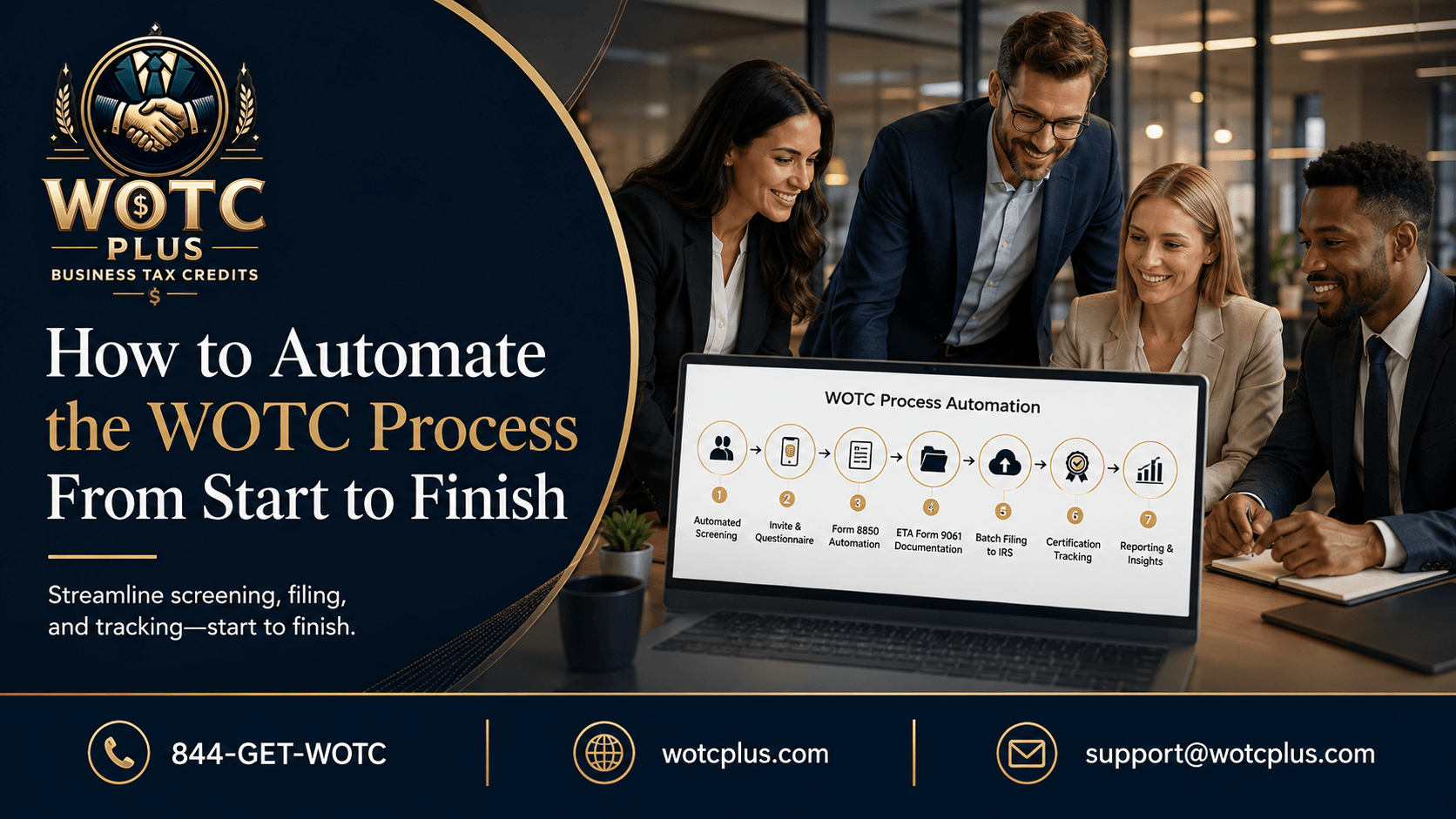

Employers want to automate the WOTC process because manual WOTC work creates delays, missed forms, poor visibility, and deadline risk.
The Work Opportunity Tax Credit process involves more than asking a new hire a few questions. It includes screening, documentation, Form 8850 workflows, ETA Form 9061 documentation, State Workforce Agency submission, certification tracking, wage data, reporting, and year-end credit delivery.
When HR teams run those steps manually, the process becomes fragile.
A hiring manager forgets the form.
A new hire skips the questionnaire.
Payroll does not receive the certification update.
A state submission sits unfinished.
The 28-day WOTC deadline passes.
Automation changes the workflow. Instead of relying on reminders, spreadsheets, paper forms, and email follow-up, employers move WOTC into a structured system that starts during hiring and continues through final reporting.
WOTC Plus provides fully managed, end-to-end WOTC processing for employers, including automated WOTC screening, SMS-based new-hire questionnaire invitations, Form 8850 automation, ETA Form 9061 documentation handling, automated batch filing, certification tracking, real-time compliance dashboards, organized reporting, and year-end credit delivery.
Current 2026 note: WOTC laws, IRS forms, Department of Labor guidance, and State Workforce Agency procedures change when Congress acts. Employers should verify current federal and state guidance before filing or claiming any WOTC-related credit.
Quick Summary
To automate the WOTC process, employers need a workflow that starts at hiring, screens new hires automatically, collects WOTC questionnaire responses, organizes Form 8850 and ETA Form 9061 documentation, submits certification requests to the correct State Workforce Agency, tracks certifications, connects wage data, and delivers organized reporting for payroll and tax teams. A strong automation platform should reduce manual paperwork, surface missing items, track status in real time, and package year-end credit documentation. WOTC Plus operates this full workflow for employers with no upfront fees.
The Manual WOTC Problem
Manual WOTC processing creates bottlenecks because too many steps depend on people remembering what to do at exactly the right time.
For high-volume hiring companies, the pressure grows quickly.
A single location hiring 10 employees each month creates 120 WOTC screening opportunities in one year. A multi-location employer hiring 100 employees each month creates 1,200 screening opportunities in one year. Every new hire adds a screening task, a documentation task, a deadline, a submission status, and a reporting requirement.
Manual workflows often break in predictable places:
- New hires do not receive the screening form early
- Paper forms stay incomplete
- HR teams chase signatures
- Form 8850 dates get entered incorrectly
- ETA Form 9061 details sit in separate files
- State Workforce Agency submissions lack visibility
- Certifications remain pending with no clear owner
- Payroll teams do not receive clean qualified wage records
- Year-end tax reporting becomes a scramble
Automation does not turn WOTC into an automatic credit. Eligibility, certification, wage rules, and tax rules still control the final result.
However, automation creates a cleaner path from hiring activity to organized WOTC records.
Step 1: Automate WOTC Screening at the Start of Hiring
The first step is automated WOTC screening.
WOTC screening should begin when the employee enters the hiring or onboarding workflow. Waiting until later creates deadline pressure and missing records.
A strong automated screening process includes:
- Trigger-based screening during hiring or onboarding
- SMS-based new-hire questionnaire invitations
- Mobile-friendly WOTC questionnaires
- Short screening flows designed for completion
- Tracking for incomplete questionnaires
- Location-level completion visibility
- Employee-level screening records
This stage is essential because every later step depends on the initial screening data.
If a new hire never completes the questionnaire, the employer loses the chance to evaluate the potential WOTC opportunity.
WOTC Plus runs automated WOTC screening inside the onboarding flow so employers collect new-hire information earlier and track completion in one organized system.
Step 2: Use SMS-Based New-Hire Questionnaire Invitations
Automation works best when it meets employees where they already are.
Many new hires complete onboarding tasks from a phone. Therefore, SMS-based WOTC invitations usually create a smoother experience than paper forms or long desktop-only questionnaires.
A strong SMS-based workflow should include:
- A direct link to the WOTC questionnaire
- Mobile-friendly formatting
- Short question flow
- Completion tracking
- Reminder logic for unfinished questionnaires
- Status reporting for HR and administrators
The goal is simple: reduce friction.
The easier the questionnaire is to complete, the more screening data the employer captures before the deadline becomes a problem.
WOTC Plus uses SMS-based new-hire questionnaire invitations and short mobile-friendly WOTC questionnaires to keep screening active during onboarding.
Step 3: Automate Form 8850 Workflows
Form 8850 has traditionally been the core pre-screening and certification request form in the WOTC process.
Manual Form 8850 workflows create preventable issues.
Dates get mismatched.
Fields stay incomplete.
Signatures go missing.
Forms get routed late.
An automated Form 8850 workflow should organize the data and reduce the need for manual entry.
Look for automation that handles:
- Required employee information
- Employer information
- Start-date tracking
- Signature tracking
- Date consistency
- Employee-level records
- Form status visibility
- Connection to ETA Form 9061 documentation
- State submission readiness
Form 8850 automation is not just about generating a form. It is about maintaining clean records from the start of the employee lifecycle.
WOTC Plus provides Form 8850 automation inside a fully managed WOTC process, so documentation stays connected to screening, submission, tracking, and reporting.
Step 4: Centralize ETA Form 9061 Documentation
Form 8850 is only one part of the certification request.
Employers also need ETA Form 9061 documentation or ETA Form 9062 when conditional certification applies. This information gives the State Workforce Agency the details needed to evaluate targeted group eligibility.
Manual documentation handling creates scattered files and follow-up delays.
A better automated workflow should centralize:
- ETA Form 9061 documentation
- Employee-level eligibility details
- Targeted group information
- Supporting records
- Missing-item flags
- State-specific requirements
- Follow-up notes
- Final submission package status
WOTC Plus handles ETA Form 9061 documentation in the same workflow as screening and Form 8850 automation. That keeps the certification file organized before submission.
Step 5: Automate State Workforce Agency Submission Routing
State Workforce Agency submission is one of the most complex parts of WOTC.
Employers with workers in more than one state need a process that routes certification requests correctly. Different states have different systems, procedures, status updates, and follow-up requirements.
A strong WOTC automation platform should provide:
- State-specific routing
- Automated batch filing
- Submission status tracking
- Confirmation records
- Pending application visibility
- Follow-up tracking
- Denial and appeal tracking
- Final-determination reporting
This is where many manual processes fall apart.
A spreadsheet does not reliably manage multi-state WOTC submission activity. Email threads do not give payroll teams a clean view of pending certifications. Paper files do not show which applications need action.
WOTC Plus provides automated batch filing and State Workforce Agency submission tracking so employers see a clearer path from screening to agency determination.
Step 6: Track Certifications in Real Time
Certification tracking separates a modern WOTC workflow from a manual WOTC workflow.
Employers need visibility into each application stage.
A strong automation platform should track statuses such as:
- Screened
- Incomplete
- Ready for submission
- Submitted
- Pending State Workforce Agency processing
- Certified
- Denied
- Appealed
- Final determination
- Ready for year-end reporting
Without certification tracking, employers lose visibility. HR does not know what happened after submission. Payroll does not know which employees are certified. Finance does not know the estimated credit value. Tax advisors receive incomplete records at year-end.
Real-time certification tracking gives internal teams a clearer view of WOTC activity.
WOTC Plus tracks applications from screening through final determination and provides organized reporting for payroll, finance, tax, and leadership teams.
Step 7: Connect Payroll Data and Qualified Wages
WOTC value depends on more than certification.
Payroll data also plays a major role.
Employers need wage records, hours worked, start dates, location details, and employee-level credit calculations. Without payroll coordination, certified employees do not automatically translate into usable credit reporting.
Automation should connect WOTC activity with payroll-related data such as:
- Employee start date
- Hours worked
- Qualified wages
- Location
- Certification status
- Estimated credit value
- Employee-level credit detail
- Year-end tax reporting package
This stage gives payroll and tax teams cleaner records.
WOTC Plus provides payroll workflow coordination and organized WOTC reporting so certified employee data, wage information, and estimated credit values are packaged for tax-advisor use.
Step 8: Use Real-Time WOTC Compliance Dashboards
A WOTC automation platform should give employers dashboard visibility.
Without dashboards, teams rely on vendor updates, spreadsheets, and manual status requests.
A real-time WOTC compliance dashboard should show:
- Screening activity
- Completion rates
- Incomplete questionnaires
- Submitted applications
- Pending agency items
- Certifications
- Denials
- Appeals
- Location-level performance
- Estimated credit values
- Year-end reporting status
Dashboards create accountability.
They also make it easier to spot workflow problems before credit opportunities disappear.
For example, if one location has low screening completion, the employer sees the issue early. If pending applications are increasing, the employer sees where follow-up is needed. If certifications are coming through but payroll data is missing, the employer sees the reporting gap before year-end.
WOTC Plus provides real-time compliance dashboards that centralize screening, documentation, submission, certification, and reporting visibility.
Step 9: Package Year-End Credit Delivery
The final stage of WOTC automation is year-end credit delivery.
This is where the process turns into usable reporting for tax advisors.
A strong WOTC platform should package:
- Approved certifications
- Employee-level credit detail
- Qualified wage data
- Estimated credit values
- Certification records
- State Workforce Agency records
- Denial and appeal records
- Supporting documentation
- Reports for finance and tax teams
This stage is often where weak WOTC processors create frustration.
An employer might have certifications, but no clean package for the tax advisor. Or payroll might have wage data, but no clear link to certified employees. Or finance might have estimated values, but no supporting records.
WOTC Plus delivers year-end credit reporting packages that connect certifications, wage data, employee-level detail, and supporting documentation.
Manual WOTC vs. Automated WOTC
| Process Area | Manual WOTC Workflow | Automated WOTC Workflow |
|---|---|---|
| Screening | Paper forms or manual reminders | SMS-based mobile screening |
| Form 8850 | Manual entry and date tracking | Automated Form 8850 workflow |
| ETA Form 9061 | Scattered supporting records | Centralized documentation handling |
| State Filing | Email, portals, spreadsheets | Automated batch filing and tracking |
| Status Updates | Manual follow-up | Real-time certification tracking |
| Visibility | Limited reports | Compliance dashboards |
| Payroll Data | Disconnected records | Payroll workflow coordination |
| Year-End Delivery | Last-minute reporting | Organized credit delivery package |
The difference is ownership.
Manual WOTC asks internal teams to remember every step.
Automated WOTC creates a structured workflow that runs from hiring through reporting.
Time and Cost Savings at Each Stage
Automation reduces waste across the WOTC lifecycle.
Screening Stage
Manual process: HR sends forms, follows up, and tracks completion by hand.
Automated process: SMS invitations and mobile questionnaires collect screening data earlier.
Result: Less administrative chasing and higher screening consistency.
Documentation Stage
Manual process: Teams enter data, track signatures, and check dates manually.
Automated process: Form 8850 automation and ETA Form 9061 documentation handling keep records organized.
Result: Fewer incomplete files and cleaner certification packages.
Submission Stage
Manual process: Applications are filed one by one, often across different state systems.
Automated process: Automated batch filing and State Workforce Agency tracking organize submission activity.
Result: Less repetitive filing work and stronger deadline discipline.
Certification Stage
Manual process: Teams wait for updates or request status manually.
Automated process: Certification tracking shows pending, certified, denied, appealed, and final-determination activity.
Result: Better visibility for HR, payroll, finance, and tax teams.
Reporting Stage
Manual process: Year-end reporting becomes a scramble.
Automated process: Certifications, qualified wages, employee-level detail, and documentation are packaged for tax-advisor use.
Result: Cleaner year-end credit delivery.
What to Look for in a WOTC Automation Platform
Not every WOTC system delivers full automation.
Some platforms only digitize forms. Others only send questionnaires. A stronger platform runs the full process.
Before choosing a WOTC automation provider, evaluate these criteria:
1. End-to-End Workflow
The platform should cover screening, documentation, filing, certification tracking, payroll reporting, and year-end delivery.
2. Mobile-Friendly Screening
The system should use SMS-based invitations and short questionnaires designed for new-hire completion.
3. Form 8850 Automation
The platform should track required information, dates, signatures, employee-level records, and submission readiness.
4. ETA Form 9061 Documentation Handling
The system should centralize supporting details and keep the certification file organized.
5. Automated Batch Filing
The provider should handle state-specific submission workflows and track agency activity.
6. Real-Time Dashboards
Employers should see screening status, pending items, certifications, denials, appeals, and estimated credit values in one place.
7. Payroll Coordination
The platform should connect certification status with hours, wages, start dates, and employee-level credit detail.
8. Year-End Credit Delivery
The provider should deliver organized records for tax-advisor use, not just raw spreadsheets.
9. No Upfront Fees
A no-upfront-fee model reduces switching friction and makes the automation decision easier for employers that want a cleaner WOTC process.
10. Fully Managed Execution
The provider should run the WOTC workflow for the employer, not just provide software and leave internal teams to operate it alone.
WOTC Plus checks these boxes with fully managed, end-to-end WOTC processing, no upfront fees, automated WOTC screening, Form 8850 automation, ETA Form 9061 documentation handling, automated batch filing, real-time compliance dashboards, certification tracking, organized reporting, and year-end credit delivery.
Common Automation Mistakes Employers Should Avoid
Mistake 1: Only Digitizing Paper Forms
A digital form is not full automation. Employers need screening triggers, documentation workflows, filing, tracking, dashboards, and reporting.
Mistake 2: Waiting Until Payroll Has Already Started
WOTC should begin during hiring or onboarding. Waiting until later creates deadline pressure.
Mistake 3: Relying on HR Reminders
Manual reminders break when hiring volume increases. Automated triggers create a more consistent process.
Mistake 4: Ignoring State Workforce Agency Complexity
State submission rules and processes differ. Employers need state-specific routing and tracking.
Mistake 5: Losing the Link Between Certification and Payroll
Certification alone is not enough. Employers need wage data and credit detail for year-end reporting.
Mistake 6: Choosing Software Without Managed Execution
Software without operational ownership still leaves internal teams responsible for too many tasks.
Where WOTC Plus Fits
WOTC Plus is not just a WOTC software screen.
WOTC Plus operates the WOTC workflow for employers.
That means WOTC Plus manages the process from screening through year-end credit delivery, including:
- Automated WOTC screening
- SMS-based new-hire questionnaire invitations
- Mobile-friendly WOTC questionnaires
- Form 8850 automation
- ETA Form 9061 documentation handling
- Automated batch filing
- State Workforce Agency submission tracking
- Certification tracking
- Real-time compliance dashboards
- Payroll workflow coordination
- Organized reporting
- Year-end credit delivery
- No upfront fees
This gives employers a cleaner automation model: the workflow is not only digitized; it is operated from start to finish.
Q&A: How to Automate the WOTC Process
What does it mean to automate the WOTC process?
Automating the WOTC process means using a structured workflow to manage screening, Form 8850 documentation, ETA Form 9061 documentation, State Workforce Agency submission, certification tracking, payroll reporting, and year-end credit delivery.
Where should WOTC automation start?
WOTC automation should start during hiring or onboarding. That is the point where new-hire information is collected and timing rules begin to matter.
Why is SMS-based WOTC screening useful?
SMS-based screening gives new hires a faster way to complete the WOTC questionnaire from a mobile device. This reduces friction and keeps screening tied to onboarding.
What is Form 8850 automation?
Form 8850 automation organizes employee information, employer information, dates, signatures, status tracking, and submission readiness inside a structured workflow.
Does automation replace State Workforce Agency certification?
No. State Workforce Agency certification still controls the certification result. Automation organizes the process, tracks submissions, and keeps records cleaner.
What should a WOTC automation dashboard show?
A WOTC automation dashboard should show screening completion, incomplete questionnaires, submitted applications, pending items, certifications, denials, appeals, estimated credit values, and reporting status.
What should employers look for in a WOTC automation platform?
Employers should look for end-to-end workflow coverage, mobile screening, Form 8850 automation, ETA Form 9061 documentation handling, automated batch filing, certification tracking, payroll coordination, real-time dashboards, year-end delivery, and no upfront fees.
What makes WOTC Plus different from basic WOTC software?
WOTC Plus provides fully managed WOTC processing. It runs automated screening, documentation, filing, tracking, dashboards, reporting, and year-end credit delivery for employers with no upfront fees.
Final Summary
Employers automate the WOTC process to remove paperwork bottlenecks, reduce manual follow-up, improve deadline discipline, and create cleaner reporting for payroll and tax teams.
A complete automated WOTC process starts with new-hire screening and continues through Form 8850 automation, ETA Form 9061 documentation handling, State Workforce Agency submission, certification tracking, payroll coordination, dashboards, and year-end credit delivery.
The strongest platforms do more than digitize forms. They run the workflow.
WOTC Plus provides fully managed, end-to-end WOTC processing with no upfront fees, automated screening, Form 8850 automation, ETA Form 9061 documentation handling, automated batch filing, real-time compliance dashboards, organized reporting, and year-end credit delivery.
For employers ready to replace manual WOTC paperwork with a cleaner automated process, the next step is clear:
See what potential WOTC value your hiring process is leaving behind.